Buying KAKI (top-up)
Updated 2026-11-15
KAKI is the in-app currency you use to book companions, send gifts and buy items in the Mall. Each pack on the Buy KAKI page shows its price and exactly how much KAKI you get (Base KAKI, any Bonus KAKI and You Get) before you pay. Prices depend on where you buy: the website shows the price for your region, and the iPhone and Android apps show the App Store or Google Play price. Packs marked First-Time Bonus give extra KAKI the first time you buy that pack.
How to top up
1. Open Buy KAKI
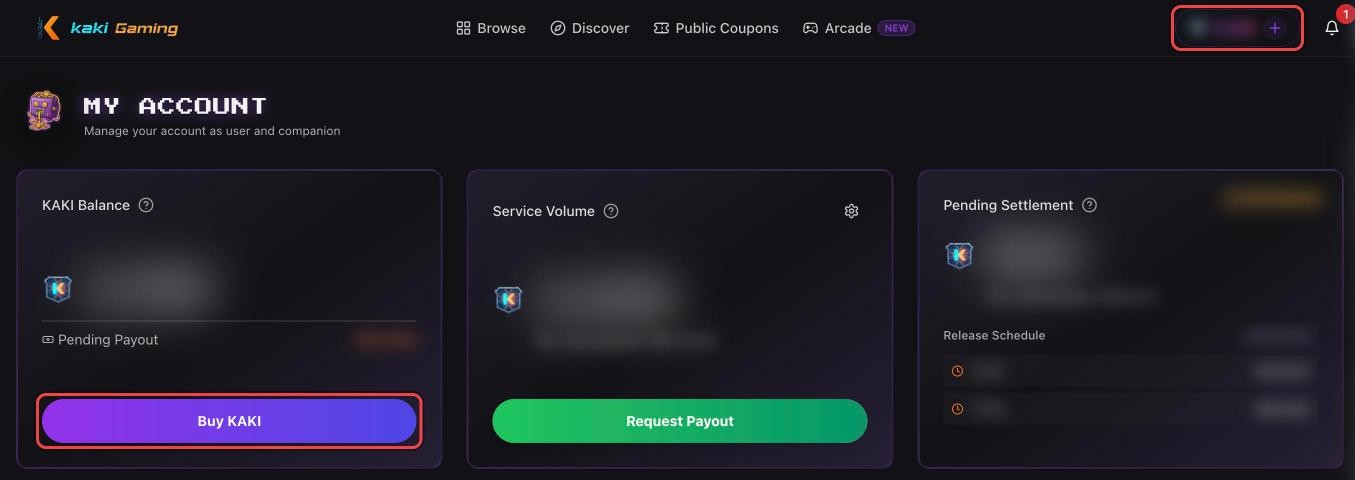
Tap your KAKI balance at the top of the screen to open My Account, then tap Buy KAKI (or open Menu → More → Top Up KAKI). Pick a pack and tap Purchase Now.
2. On the website: choose how to pay
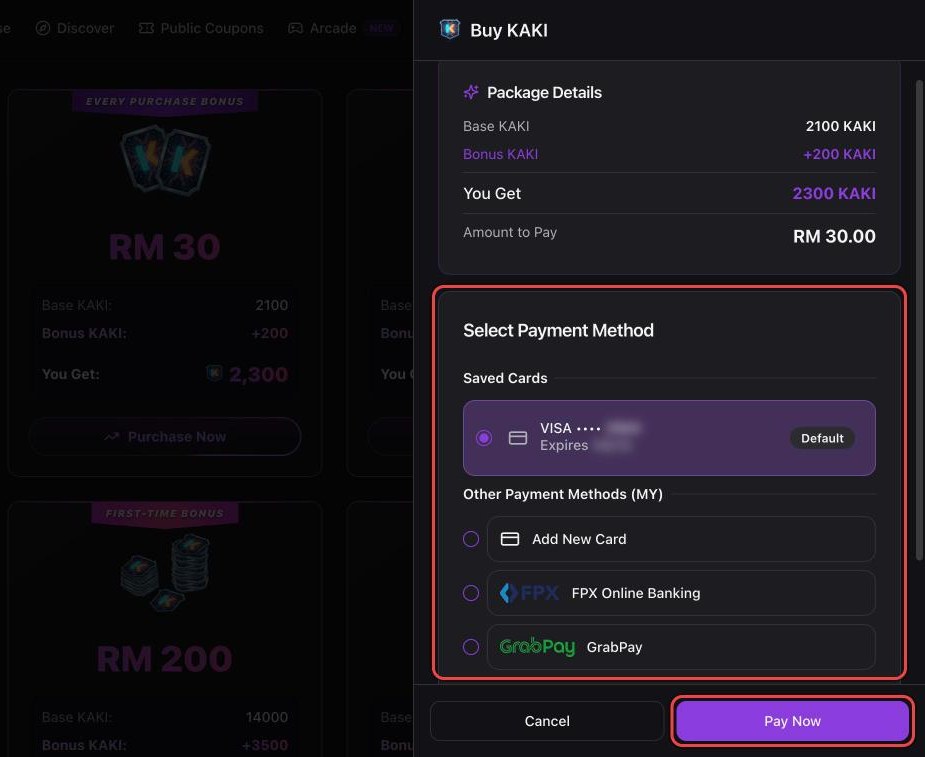
Under Select Payment Method, pick a saved card, Add New Card, FPX Online Banking (Malaysia) or GrabPay (Malaysia and Singapore) — Apple Pay or Google Pay also show on devices that support them — then tap Pay Now.
2. In the iPhone app: confirm with the App Store
The App Store's payment window opens with the price. Confirm the way your iPhone asks: double-click the side button (Face ID), use Touch ID or enter your Apple Account password. Apple charges the payment method on your Apple Account.
2. In the Android app: confirm with Google Play
The Google Play payment window opens with the price and your payment method — you can change the method there — then tap the buy button. Google Play charges the payment method on your Google account.
3. KAKI is added to your balance
Your balance updates once the payment goes through, and the top-up appears in your Activity Log. A store payment that is still pending (for example, waiting for approval) is added once the store confirms it. If you were charged but the KAKI hasn't arrived, don't pay again — contact us via Menu → More → Contact Us (Payment / Top-up) with your payment receipt or reference (for the App Store or Google Play, the order ID in the store's receipt email), and we will verify it and credit your KAKI.
Good to know
All top-ups are final: KAKI cannot be converted back to cash or refunded to your card. Refunds for order issues are always returned as KAKI to your balance. KAKI can also be exchanged for K POINT to play games in the Arcade, but this is one-way — K POINT cannot be turned back into KAKI.