Reset or change your password
Updated 2026-11-12
Forgot your password
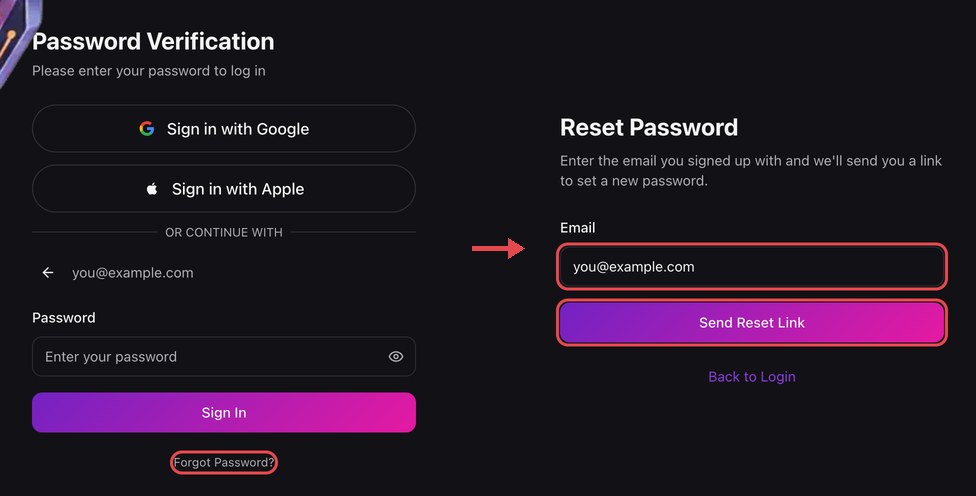
1. Request a reset link
On the sign-in page tap Forgot Password? (on a computer it appears after you enter your email and tap Next), enter your registered email exactly as you signed up with it and tap Send Reset Link. If that email is registered, we send a reset link to your inbox.
2. Open the link within 1 hour
The link is valid for 1 hour and can only be used once. If it expires, simply request a new one.
3. Set a new password
The new password must be at least 6 characters and include an uppercase letter, a lowercase letter, a number and a symbol. Passwords found in known data breaches are rejected.
Change password while signed in
Go to Settings and open the Security tab. Enter your current password, then your new password twice, and tap Change Password. If you only sign in with Google or Apple, you don't need a KAKI password — keep using that button. After the change we send a notification email to your inbox — if you receive one you did not trigger, reset your password immediately and contact support@kakigaming.com.